In the world of industrial automation, reliable data storage and seamless communication are significantly important.
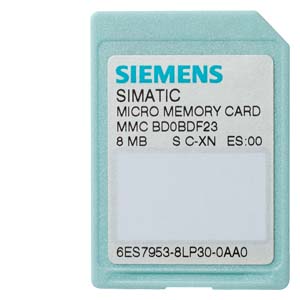
Siemens, a leading provider of automation solutions, provides Micro Memory Cards (MMCs) specifically designed for their programmable logic controllers (PLCs) and human-machine interfaces (HMIs).
In this article, we’ll delve into the details of Siemens MMCs, their compatibility, and best practices for using them effectively.
What Are Siemens Micro Memory Cards (MMCs)?
Purpose and Functionality
- Siemens MMCs serve as compact storage devices for critical data within automation systems.
- They store PLC programs, configuration files, historical data, and diagnostic information.
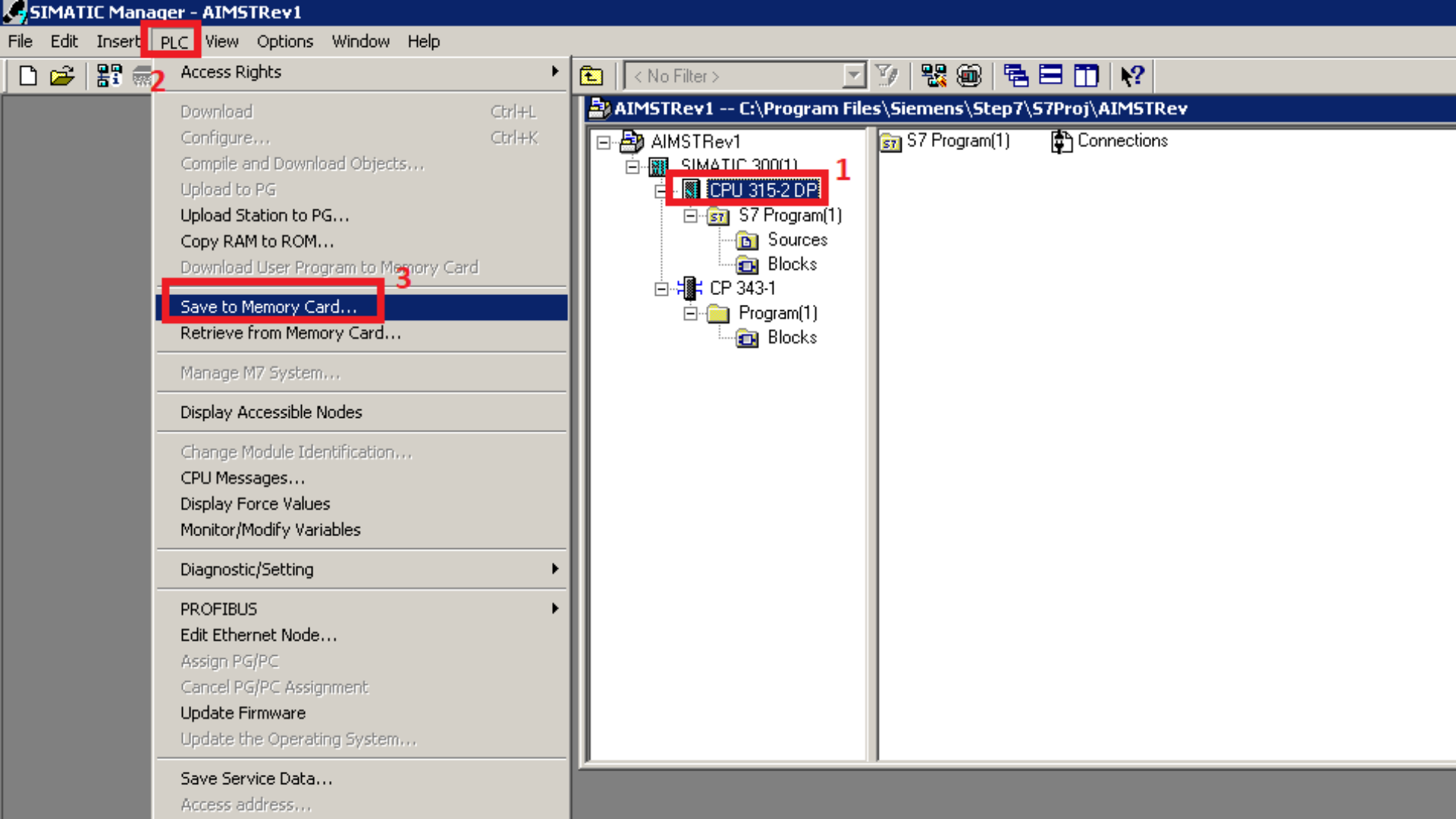
- MMCs are essential for system backup, firmware updates, and project transfer.
Physical Characteristics:
- Siemens MMCs are tiny, measuring approximately 32mm x 24mm x 1mm.
- They fit snugly into dedicated memory card slots in Siemens devices.
Compatibility and Variants:
- Let’s explore the compatibility and variants of Siemens MMCs:
ET 200 Series with CPU Functionality:
- MMCs are used in interface modules (IM) and basic modules (BM) in the ET 200 series with CPU functionality.
- Available variants include 64 KB, 128 KB, 512 KB, 2 MB, 4 MB, and 8 MB capacities.
S7-300 CPUs:
- Two types of memory cards are relevant:
- **MC (Memory Card): Used with older S7-300 CPUs that have an MC Slot.
- **MMC (Micro Memory Card): Imperative for operating all current S7-300 CPUs.
MP277 10″ HMI: Specific compatibility details exist for the MP277 10″ HMI. Refer to Siemens resources for precise information.

Why Choose Genuine Siemens MMCs?
Optimal Performance:
- Siemens MMCs are optimized for their PLCs, ensuring reliable communication and data storage.
- Non-Siemens cards may lack compatibility, leading to unexpected errors.
Reliability and Quality Control:
- Siemens rigorously tests and quality-controls their MMCs.
- Using non-Siemens cards risks data corruption or system instability.
Warranty and Support:
- Siemens provides support and warranty coverage for genuine products.
- Third-party cards may not offer the same level of support.
Risk Mitigation:
- Critical project data stored on genuine MMCs remains secure.
- Third-party cards may jeopardize data integrity.
Best Practices for Using Siemens MMCs:
Backup Regularly:
- Create regular backups of your PLC programs and configuration files on MMCs.
- Store backups in a safe location.
Label and Document:
- Label MMCs clearly to avoid mix-ups.
- Document the contents and purpose of each MMC.
Avoid Physical Damage:
- Handle MMCs carefully to prevent physical damage.
- Protect them from extreme temperatures and moisture.
Replace Damaged Cards Promptly:
- If an MMC is damaged, replace it promptly to avoid data loss.
MMC – The Unsung Hero
Siemens Micro Memory Cards are the unsung heroes of industrial automation, silently storing critical data and ensuring smooth operations. By choosing genuine Siemens MMCs and following best practices, you’ll enhance the reliability and longevity of your automation systems.
Feel free to share this article with fellow automation enthusiasts and keep exploring the fascinating world of industrial technology! 🛠️🔌
*Disclaimer: The information provided in this article is based on Siemens documentation and industry best practices. Always refer to official Siemens resources for the most up-to-date information.* 📝